


AuKing Smart Projector Review: 8 Real Things to Know Before You Buy
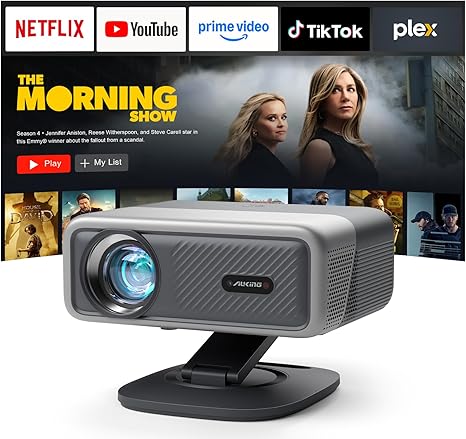
The AuKing Smart Projector has a strong feature list on paper. Built-in Netflix, AI autofocus, Dolby audio, WiFi 6, and 4K input support at a mid-range price sounds like a compelling package. And for many buyers it genuinely is. But no product is perfect and this one has specific limitations that matter depending on how and where it will be used.
This review takes an honest look at the eight things buyers most commonly wish they had known before purchasing. The goal is not to talk anyone out of buying a great projector. The goal is to make sure the AuKing Smart Projector is the right projector for the specific situation before the money is spent.
What This Review Covers
- The 4K Support Situation Explained
- How the Autofocus Performs in Practice
- Brightness and Room Lighting Requirements
- Built-In Speaker Capability
- The Remote Control Experience
- WiFi and App Setup Process
- Size and Portability
- Is the Price Justified
- Who Should Still Buy It
- Final Verdict
Why Read a Critical Review of the AuKing Smart Projector
Most projector reviews lead with the highlights. This one starts with the limitations because those are the details that determine whether a projector works for a particular buyer’s situation. The AuKing Smart Projector earns strong ratings from thousands of users and there are real reasons for that. But there are also eight specific areas where expectations sometimes do not match the real-world experience.
Going through each one honestly makes it easier to decide whether this projector fits the intended use case or whether a different model is a better match.
1. The 4K Support Is Input Only, Not Output
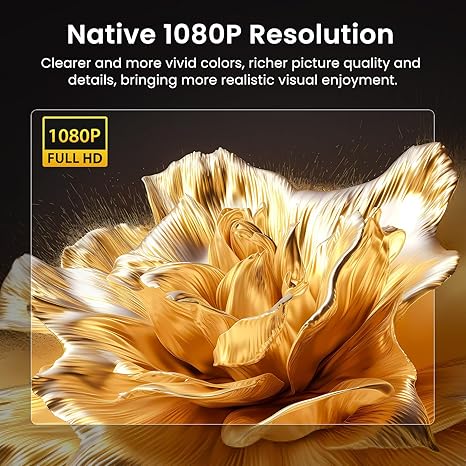
The AuKing Smart Projector is marketed with 4K support and that claim is technically accurate. It accepts a 4K signal via HDMI from devices like a Fire Stick 4K, PS5, or 4K Blu-ray player. The point of confusion is that accepting a 4K signal is not the same as displaying one.
The projector’s native resolution panel is 1920 by 1080 pixels. That is full HD 1080P. When a 4K signal comes in through HDMI, the projector processes it and displays the content at 1080P. The output is limited to the resolution of the physical display panel, which is 1080P.
In practice, this is less of a problem than it sounds for most home viewing situations. At typical projector viewing distances of 8 to 15 feet, the difference between native 4K output and a well-processed 1080P image is far less visible than it would be on a TV watched from a few feet away. Many buyers report that the image looks sharp and satisfying at these distances without noticing the absence of true 4K output.
The bottom line: if native 4K output is a hard requirement, this projector does not deliver it. If 1080P on a large screen at comfortable viewing distance is acceptable, the experience is strong. This is worth knowing before purchasing rather than after.
2. The Autofocus Works Well in Stable Conditions, Less So in Dynamic Ones
The AI autofocus system on the AuKing Smart Projector is a genuine convenience feature. Power the unit on, and within about 5 seconds the projector detects the surface, calculates focus distance, and locks in a sharp image automatically. For a standard setup where the projector sits in a fixed position pointed at a wall or screen, this works well and eliminates the manual focus adjustment that makes cheaper projectors frustrating to use.
Where the autofocus shows limitations is in dynamic situations. If the projector is moved, bumped, or repositioned while in use, the refocus process needs a few seconds to complete. During that window, the image can appear soft or blurry. If the angle of the stand is adjusted while someone is watching, the same brief refocus delay occurs.
The brand recommends keeping angle adjustments within 15 degrees for optimal autofocus performance and allowing 3 to 5 seconds after any repositioning before the image stabilizes. For buyers planning to use the projector in a fixed position, this is a non-issue. For buyers who anticipate frequent repositioning mid-session, it is worth factoring in.
The autofocus is also most effective with flat, uniform projection surfaces. Textured walls, patterned surfaces, or surfaces with strong ambient light sources can make the sensor’s job harder. A smooth white wall or a proper projection screen gives the best results.
3. Brightness Requires a Controlled Lighting Environment
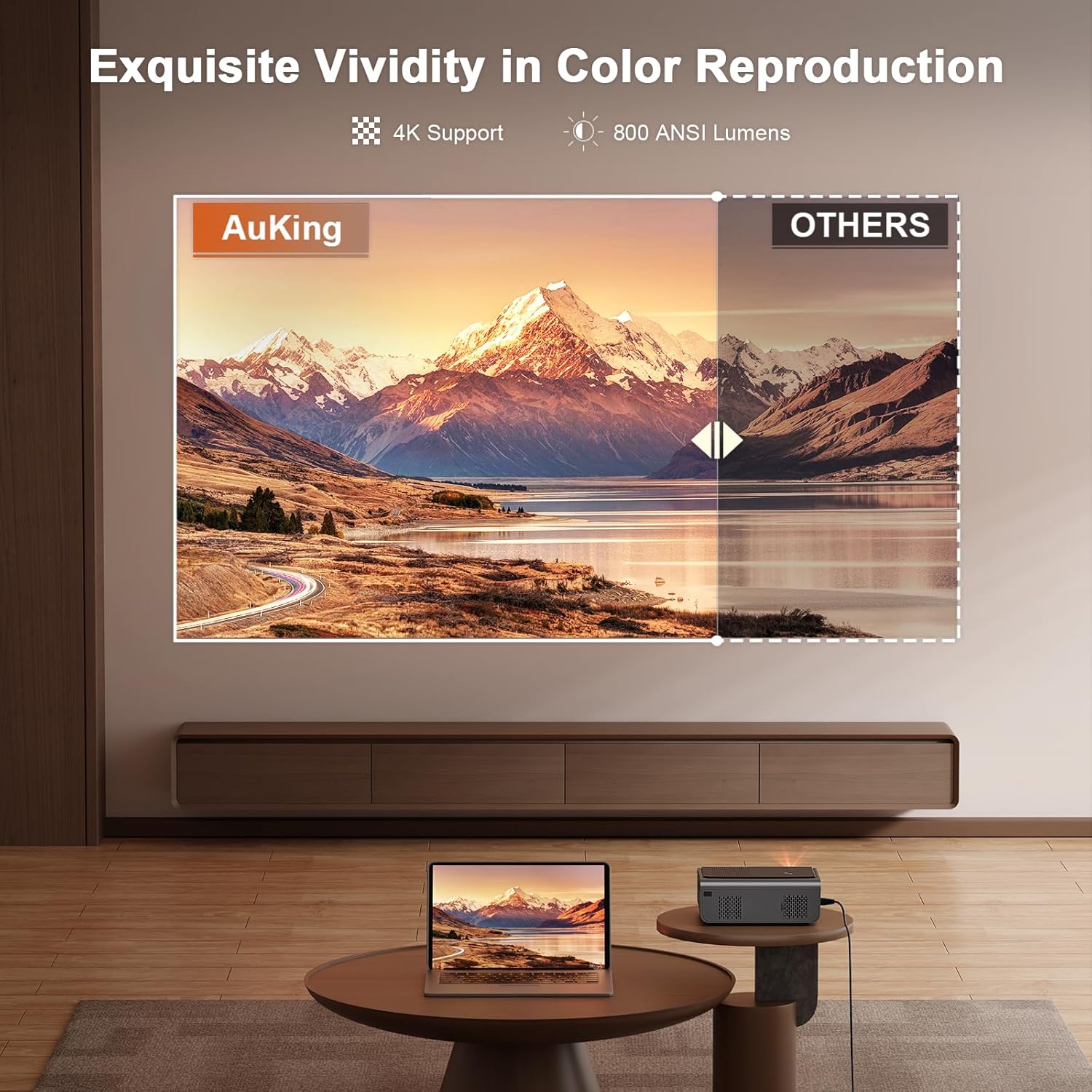
The AuKing Smart Projector is rated at 800 ANSI lumens. That is an important distinction from the inflated lumen figures that many projectors use for marketing. ANSI lumens is a standardized measurement. 800 ANSI lumens is a real, calibrated brightness level and it is competitive for a smart projector in this price range.
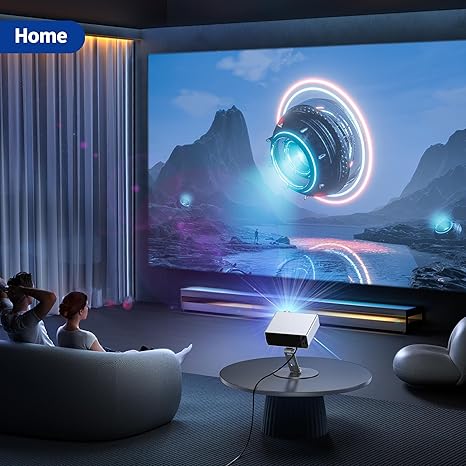
The honest limitation is that 800 ANSI lumens requires some control over room lighting to deliver the best image quality. In a darkened room or a room with curtains drawn, the picture is vivid, bright, and satisfying. In a living room with ceiling lights on and windows letting in afternoon light, the image will appear washed out and low in contrast.
This is not a fault specific to AuKing. It is a characteristic of projectors at this brightness level across all brands. Projectors that perform well in fully lit rooms typically require 2,000 ANSI lumens or more and cost significantly more as a result.
For buyers who plan to use the projector primarily in the evening, in a dedicated home theater room, or in any space where lighting can be managed, 800 ANSI lumens is more than enough. For buyers expecting to use it as a replacement for a television in a bright, sunlit room without adjusting the lighting, the results will be disappointing. Blackout curtains or room darkening shades solve this completely and are worth the investment for daytime use.
4. The Built-In Speakers Are Good But Not a Home Theater System
The AuKing Smart Projector ships with Dolby-certified HiFi stereo speakers and AI sound balancing technology. Compared to the average projector at this price, the built-in audio is above average. Dialogue is clear, the low end has some presence, and the Dolby processing adds dimension that makes the speakers sound more capable than their physical size suggests.
That said, built-in projector speakers have a physical ceiling on what they can deliver. The drivers are compact and housed inside a device that also contains a cooling fan and optics. For casual movie watching in a small to medium-sized bedroom or living room, the built-in audio is sufficient and comfortable.
For a full cinematic experience with room-filling bass, wide soundstage, and the kind of audio that makes action sequences feel physical, external speakers make a significant difference. The good news is that the AuKing Smart Projector has two straightforward options for upgrading the audio: Bluetooth pairing to any wireless speaker or soundbar, or a 3.5mm wired output to a standard speaker system. Both work reliably and neither requires any technical setup beyond a basic pairing process.
Buyers who already own a Bluetooth speaker or soundbar will find the audio upgrade seamless. Buyers starting from scratch should budget for a speaker alongside the projector if cinematic audio quality is important to the experience.
5. The Remote Control Has a Learning Curve
The included remote control covers the full range of projector functions: input selection, volume, focus adjustment, keystone controls, and navigation through the built-in app interface. It is a functional remote that handles the job.
The feedback from some users is that the layout takes getting used to. The buttons are small and closely spaced, which can lead to accidental presses in a dark room. Navigation through the smart TV interface using the directional pad is workable but feels less responsive than the remotes that come with dedicated streaming devices like Roku or Apple TV.
For buyers coming from a smart TV or streaming stick background, the remote experience on the AuKing Smart Projector will feel slightly less polished by comparison. It is not a dealbreaker but it is a real friction point during the first few weeks of use until the button layout becomes familiar.
One practical workaround: the AuKing Smart Projector supports Bluetooth device connection, which means a wireless keyboard or air mouse can be paired to make navigating the interface faster and more comfortable for buyers who find the remote frustrating.
6. WiFi Setup and App Connection Can Take a Few Attempts
The AuKing Smart Projector connects to home WiFi networks through its built-in WiFi 6 dual-band radio. For most buyers in standard home network environments, the initial WiFi setup is straightforward. Select the network, enter the password, and the projector connects.
Where some buyers report friction is in the initial pairing of streaming apps and in the WiFi connection process on networks with less common configurations, such as mesh network systems, networks with hidden SSIDs, or networks using older router security protocols. A small number of users have reported needing multiple attempts to get the WiFi connection stable or to get a specific streaming app to authenticate correctly on first setup.
This is not a universal experience and it is not unique to AuKing. Smart TV and smart projector WiFi setup can vary depending on router firmware, network configuration, and app server conditions. The practical advice for anyone who encounters WiFi trouble is to restart the projector, restart the router, and ensure the projector firmware is updated before troubleshooting further. AuKing’s lifetime tech support line is available for buyers who need guided help through the process.
For buyers who are less comfortable with technology, the initial setup is the most technically demanding part of the ownership experience. Once the WiFi is connected and the apps are installed, day-to-day use is simple.
7. At 7.7 Pounds, It Is a Home Device More Than a Travel Projector
The AuKing Smart Projector is described as portable and in the context of home use that is accurate. It is easy to move between rooms, carry to the backyard, or take to a friend’s house for a movie night. The omnidirectional stand detaches for transport and the projector fits into a standard tote bag or backpack with room to spare.
Where the portable label gets stretched is for buyers thinking about frequent travel use. At 7.7 pounds, the AuKing Smart Projector is noticeably heavier than the compact mini projector options in the AuKing lineup that start at around 2.6 pounds. Carrying a 7.7-pound projector on a commute, on a plane, or on a camping trip is a different proposition from carrying a 2.6-pound unit.
The weight is a trade-off for the features. The larger housing accommodates the more powerful optics, the Dolby speaker system, the smart TV hardware, and the cooling infrastructure that keeps everything running at 65,000-hour lamp life standards. A projector that weighs half as much would need to give something back in capability.
For buyers whose primary use case is home theater and occasional backyard use, the weight is a non-issue. For buyers who specifically need a projector to carry everywhere frequently, the AuKing mini projector range is worth looking at alongside this model.
8. The Price Requires the Right Use Case to Justify It
The AuKing Smart Projector sits in the mid-range of the projector market. At its current retail price, it competes directly with other smart projectors and also with entry-level dedicated home theater projectors that lack the smart features but offer higher brightness or true 4K output.
Whether the price is justified depends entirely on which features matter most. For a buyer who values the built-in Netflix license, the autofocus convenience, the Dolby audio, and the WiFi 6 streaming capability as a genuinely all-in-one device, the AuKing Smart Projector represents good value. Those features together in one device at this price point are not easy to replicate with competing options.
For a buyer who primarily cares about raw image brightness or true 4K output and is less interested in the smart features, there are projectors at similar price points that perform better on those specific metrics. The AuKing Smart Projector is not trying to win on brightness or resolution. It is trying to win on overall experience and convenience, and for the buyers it is designed for, it succeeds.
The key question before purchasing is a simple one: is the priority a smart, easy, all-in-one streaming device with a large screen and good audio, or is the priority maximum brightness and true 4K in a darkened dedicated theater room? The answer points clearly toward or away from the AuKing Smart Projector without ambiguity.
Who Should Still Buy the AuKing Smart Projector
After going through every limitation honestly, the AuKing Smart Projector is still a strong recommendation for a specific buyer profile.
It is the right choice for buyers who want a single-device home cinema setup with built-in Netflix, good audio, and automatic setup features in a controlled lighting environment. The convenience of having streaming, autofocus, and quality audio all managed by one remote is a genuine quality-of-life advantage over cobbling together a standard projector with a separate streaming stick and external speaker.
It works well for bedroom cinema use where ceiling projection through the omnidirectional stand creates an immersive experience. It works well for backyard movie nights after dark. It works well as a TV replacement for evening and night viewing in a living room where lights can be dimmed.
The limitations described in this review are real but all of them are either manageable with simple adjustments (room lighting, external speaker) or only relevant to specific use cases (frequent travel, true 4K output). For the buyer whose use case aligns with the projector’s strengths, none of the limitations significantly diminish the experience.
Final Verdict: An Honest Summary
The AuKing Smart Projector is a well-designed, feature-rich device that delivers genuinely on its core promises of built-in streaming, automatic image correction, and above-average audio. It also has specific limitations around brightness, output resolution, and weight that matter for specific buyer situations.
The buyers most likely to be disappointed are those expecting true 4K output, those planning to use the projector in bright daylight without controlling the lighting, and those who want an ultra-lightweight carry-everywhere device. For those buyers, other projectors are better matched to the requirement.
The buyers most likely to be satisfied are those setting up a home cinema room, a backyard setup, or a bedroom projector for evening use, who want the whole experience handled by a single device without the friction of managing multiple components and remotes.
Knowing which group you fall into makes the buying decision straightforward.
Explore the Full AuKing Projector Range
- All AuKing Smart Projectors
- AuKing Mini Projectors for Travel and Portability
- AuKing WiFi Projectors
- AuKing Netflix Projectors