


AuKing Projectors
Enhance your viewing experience with our high-quality, affordable projectors. Perfect for home, work, or outdoor entertainment.
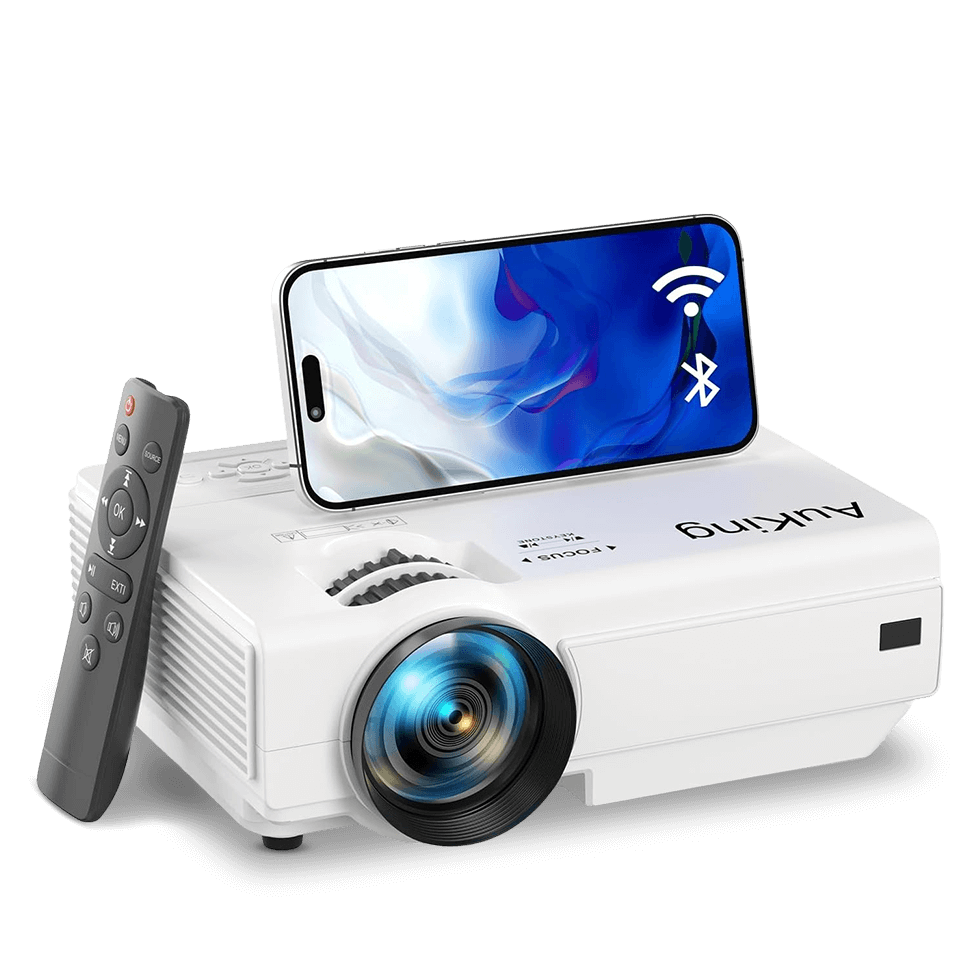
Top-Rated AuKing Projectors
Explore our most popular models, trusted by thousands of satisfied customers.
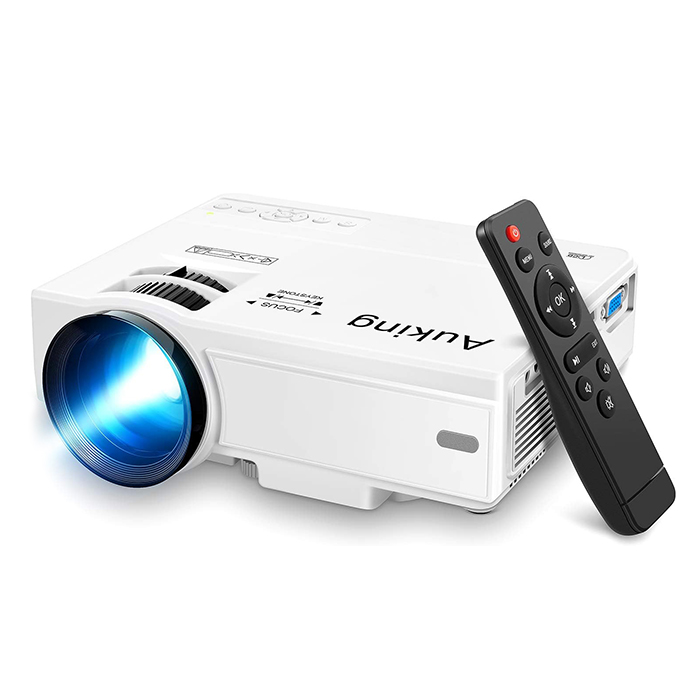
AuKing Projector, 2024 Upgraded Mini
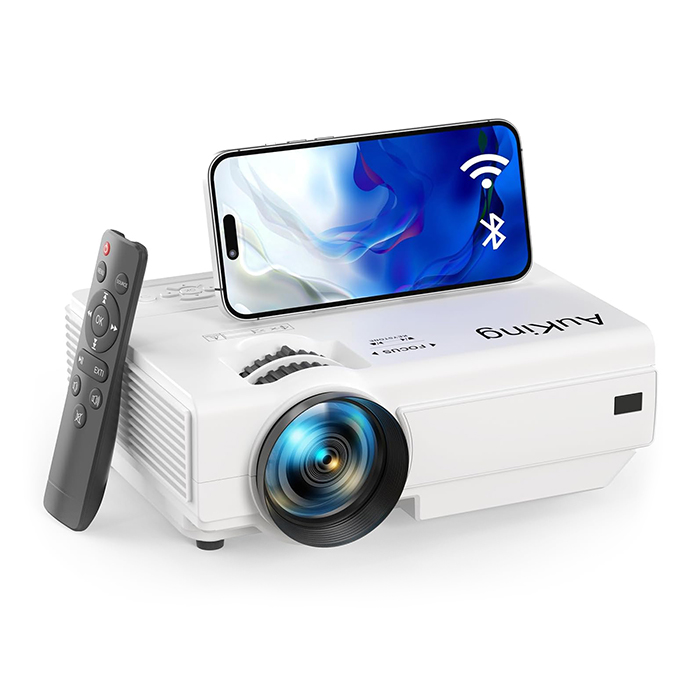
AuKing Projector with Bluetooth and WiFi
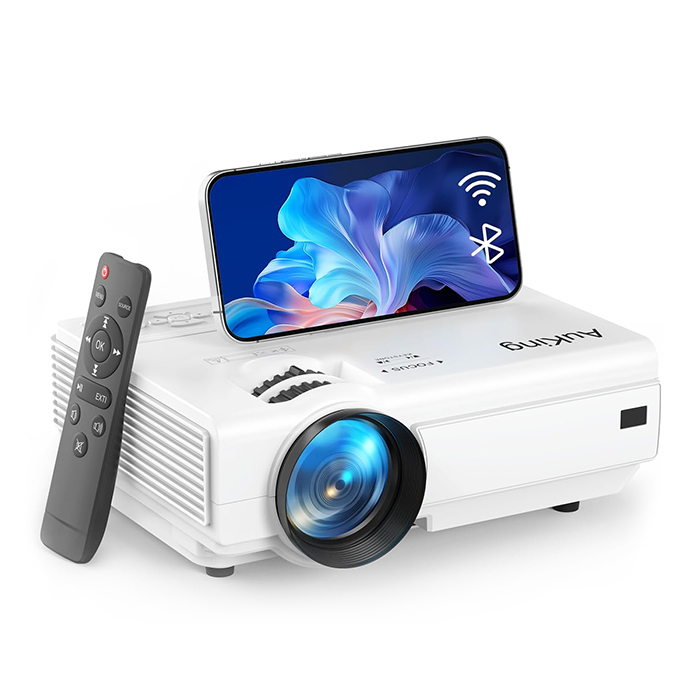
AuKing Mini Projector
with WiFi
AuKing Netflix Projector
AuKing Smart Projector
AuKing Accessories
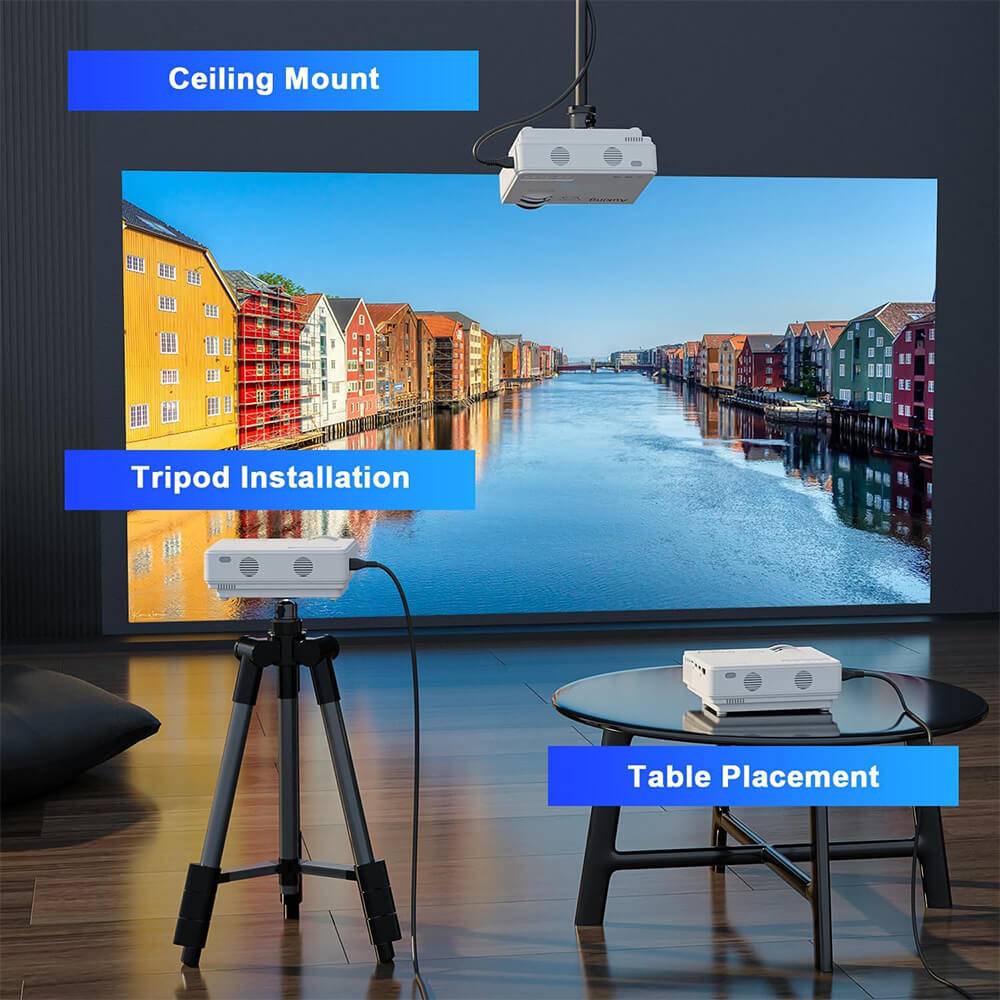
Easy Setup, Instant Entertainment
Getting started with an AuKing projector is simple. Follow these steps:
Step 1: Connect
Step 1: Connect
Plug in your AuKing projector to your device via Bluetooth or Wi-Fi. No extra cables required!
Step 2: Adjust
Step 2: Adjust
Use the remote control to adjust focus, brightness, and settings for your perfect viewing experience.
Step 3: Enjoy
Step 3: Enjoy
Relax and enjoy movies, presentations, and more — right from the comfort of your space.
Powerful Features of AuKing Projectors
HOW TO CHOOSE A MINI PROJECTOR
How to Choose a Mini Projector: Everything You Need to Know Before You Buy Mini projectors have come a long way. What used to mean a blurry, dim image in a darkened closet now means full HD 1080P on a 150-inch wall, wireless streaming from a phone, and built-in speakers that actually fill a room.…
AUKING SMART PROJECTOR HONEST BUYER'S GUIDE
AuKing Smart Projector Review: 8 Real Things to Know Before You Buy The AuKing Smart Projector has a strong feature list on paper. Built-in Netflix, AI autofocus, Dolby audio, WiFi 6, and 4K input support at a mid-range price sounds like a compelling package. And for many buyers it genuinely is. But no product is…
AUKING SMART PROJECTOR REVIEW
AuKing Smart Projector Review: Built-In Netflix, Dolby Audio, and Autofocus at a Price That Makes Sense If you have been searching for a projector that actually does everything in one box, the AuKing Smart Projector keeps coming up. Official Netflix licensing, AI autofocus, Dolby-certified audio, dual-band WiFi 6, and full HD 1080P resolution all packed…
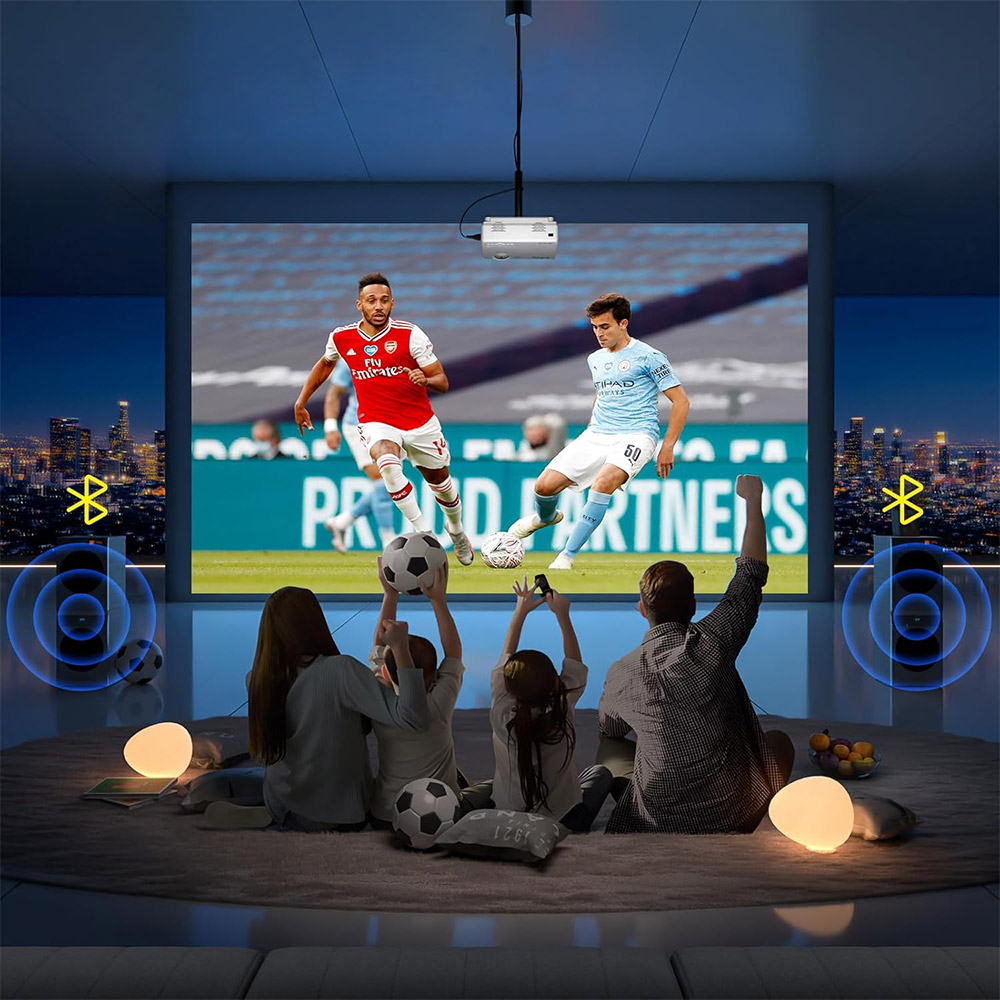
Projectors for Any Occasion
AuKing’s versatile projectors are built to adapt to any occasion, whether it’s for entertainment or professional use. Delivering exceptional performance, portable convenience, and boundless creativity, they ensure unforgettable experiences, wherever you are.
Enjoy a cinema-quality experience right at home.
Take your projector on the go and create an instant theater under the stars.
Present with confidence, whether in the office or on the road.
Watch your favorite games in a big way, with a crowd or solo.
Perfect for DIY projects, video art, and more.
What AuKing Projector Owners Are Saying
Thousands of customers have brought AuKing projectors into their homes, backyards, and bedrooms. Here is what real owners have to say about picture quality, setup, and the big-screen experience.
5 out of 5 stars
Turned our backyard into a movie theater for under a hundred dollars
I bought the AuKing mini projector for a summer backyard movie night and honestly could not believe how well it worked. Hung a white sheet between two posts, pointed the projector from about 10 feet back, and we had a 120-inch screen with a clear, sharp picture once the sun went down. The whole family watched two movies back to back and nobody complained about the image once. Setup took about five minutes. I connected my Fire Stick through the HDMI port and it worked perfectly. This little projector punches way above its weight for the money.
Marcus T.
Austin, TX
AuKing Mini Projector
5 out of 5 stars
Wireless mirroring from my iPhone works flawlessly
I was skeptical about screen mirroring working reliably but the WiFi on this projector is genuinely fast. I connect my iPhone through Airplay and the image shows up on the wall in about two seconds with no lag or stuttering. We use it every weekend for movies in the living room. The 1080P picture looks great with the lights dimmed and the built-in speakers are loud enough that you actually feel like you are watching something. I bought an HDMI adapter as well for times I want a guaranteed wired connection, but honestly the wireless works so well I rarely use it.
Stephanie L.
Portland, OR
AuKing WiFi Projector
5 out of 5 stars
Netflix built in and autofocus that actually works
The thing that sold me on the AuKing smart projector was the official Netflix support. No extra Fire Stick, no extra remote, just open the app and start watching. The AI autofocus is also legitimately impressive. I point it at the wall, power it on, and within five seconds the picture is perfectly sharp and aligned without me touching anything. I have it set up in my bedroom aimed at the ceiling and it is an incredible way to watch shows before bed. The omnidirectional stand makes ceiling projection completely practical. Best projector purchase I have ever made.
Derek W.
Nashville, TN
AuKing Smart Projector with Netflix
5 out of 5 stars
Paired it with a Bluetooth speaker and the audio is incredible outside
I use the AuKing Bluetooth projector for outdoor movie nights and the setup is completely wireless. The projector connects to my Bluetooth speaker in about ten seconds, the screen mirroring connects to my phone, and I have a full outdoor cinema without a single cable running across the yard. The Bluetooth connection stays stable throughout the whole movie with no dropouts. The built-in speakers are fine for small rooms but once I paired a portable speaker the audio was genuinely impressive for an outdoor setting. This thing has replaced my patio TV for summer evenings.
Carmen R.
Phoenix, AZ
AuKing Bluetooth Projector
5 out of 5 stars
Gaming on a 150-inch screen is something else entirely
Connected my PS5 to the AuKing projector via HDMI and it was immediately one of the best gaming decisions I have ever made. Playing open-world games on a 150-inch wall is a completely different experience than even a 65-inch TV. Colors are vibrant, the picture is sharp at 1080P, and there was no noticeable input lag for the games I play. I use it for regular movies too and the picture quality holds up well in a darkened room. For anyone who has not tried gaming on a projector, the AuKing is an affordable way to find out what you have been missing.
Jaylen F.
Atlanta, GA
AuKing 1080P HDMI Projector
4 out of 5 stars
Super easy to set up and the whole family uses it constantly
I was worried this would be complicated to get working but it was genuinely straightforward. Plugged in the power, adjusted the focus wheel, connected the Roku stick to the HDMI port, and we were watching in under ten minutes on the first try. My kids use it for movie nights, my husband uses it for sports, and I use it to stream shows in the bedroom when I want a bigger screen. The projector is light enough to move from room to room without any hassle. The only thing I would say is that it looks best with the lights down or off, which is also true of any projector at this size. Overall a fantastic product for the family.
Angela M.
Columbus, OH
AuKing Portable Mini Projector
5 out of 5 stars
Two years in and it still looks exactly like it did on day one
Bought an AuKing mini projector two years ago and it is still running perfectly. I use it three to four times a week for movies and the picture has not dimmed or degraded at all. This is one of the things that stands out about AuKing compared to older projectors I have owned. The LED lamp is rated for 55,000 hours and based on how it has held up so far I believe it. The fan keeps everything cool and the noise level is low enough that it fades into the background once the movie starts. Long-term reliability was important to me and this projector has delivered on that completely.
Robert H.
Denver, CO
AuKing Mini Projector
5 out of 5 stars
The customer support alone makes this brand worth recommending
I had a question about a dust speck that appeared inside the lens after a few months of use. I emailed AuKing expecting a slow response and maybe a form letter. Instead I had a reply within twelve hours with specific, thoughtful suggestions. The follow-up was just as fast. They walked me through the issue and resolved it completely. In a market full of brands that disappear after the sale, AuKing’s after-sales support stands out. The projector itself is great but the fact that a real team is there to help when something comes up gives me real confidence in the brand. The 2-year warranty is not just a marketing claim.
Patricia N.
Seattle, WA
AuKing Mini Projector
5 out of 5 stars
The best camping purchase I have made in years
I camp every summer and started bringing the AuKing mini projector last season. We set it up on a folding table, hang a sheet from a tree, and have a proper outdoor movie night at the campsite. It fits in the carry bag and takes up barely any room in the car. Battery banks can power it for shorter screenings or just run it from a power station for longer sessions. The image quality at night in a dark outdoor environment is genuinely impressive for how small and lightweight this projector is. Everyone at the campground ends up watching with us. It has become one of the most popular items I bring.
Brian K.
Minneapolis, MN
AuKing Portable Mini Projector
5 out of 5 stars
Replaced a 75-inch TV with this projector and have not looked back
When my old TV gave out I decided to try a projector instead of buying another screen. I went with the AuKing WiFi projector and it was the right call. The image at 130 inches is more immersive than any TV I have owned and the 1080P picture quality in a dimmed room is sharp and colorful with accurate contrast. I connected my streaming stick via HDMI for Netflix and it works perfectly. The WiFi also handles wireless mirroring from my laptop without any issues. The whole setup cost a fraction of what a comparable large-screen TV would have. Anyone sitting on the fence about making the switch from a TV to a home theater projector should just do it.
Sandra V.
Charlotte, NC
AuKing WiFi Projector
Frequently Asked Questions About AuKing Projectors
What is AuKing and where are the projectors made?
What is AuKing and where are the projectors made?
AuKing is a projector brand focused on delivering high-quality visual experiences at an accessible price point. The brand was built around the idea that big-screen entertainment should be available to everyone, not just buyers with large budgets. AuKing projectors are designed with home theater, outdoor movie nights, gaming, and portable entertainment in mind. Components are sourced from major established manufacturers, and each unit goes through testing before it ships. AuKing products are sold through major US retailers including Amazon, Walmart, Best Buy, and Newegg, and are backed by a 2-year warranty with lifetime tech support included.
What resolution do AuKing projectors support?
What resolution do AuKing projectors support?
AuKing projectors support Full HD 1080P resolution across the standard lineup, with 4K input support available on many current models. Full HD 1080P means the projector accepts and outputs a 1920 by 1080 pixel image. Models with 4K input support can receive a 4K signal from a connected device and downscale it cleanly for playback. The image quality benefits from AuKing’s 99 percent NTSC color reproduction technology and fully sealed optical engine, which together produce sharp, vibrant, accurate colors on screen. For the best results, a dark or dimly lit room is recommended, as with any projector in this class.
How big is the image that an AuKing projector can display?
How big is the image that an AuKing projector can display?
AuKing projectors display images ranging from 35 inches up to 200 inches depending on the model and the distance from the wall or screen. The higher-end models like the V30-A go up to 400 inches. The recommended sweet spot for balanced sharpness and brightness is typically 80 to 120 inches, achieved at a projection distance of around 6 to 11 feet. A zoom function on most models lets the image size be adjusted between 50 and 100 percent without physically moving the projector, which makes fine-tuning the setup much easier.
Can AuKing projectors play Netflix?
Can AuKing projectors play Netflix?
There are two different situations depending on the model. Most AuKing mini and WiFi projectors do not run Netflix natively because Netflix requires a hardware certification called Widevine that most projector chips do not carry. On these models, Netflix is easily accessible by connecting a Fire Stick, Roku, Apple TV, or Google Chromecast via the HDMI port. The streaming stick runs Netflix independently and the projector displays whatever the stick outputs. Select AuKing smart projector models, including the H10, carry an official Netflix license built into the hardware, meaning Netflix runs as a native app directly on the projector without needing any external device.
How do you connect a smartphone to an AuKing projector?
How do you connect a smartphone to an AuKing projector?
There are two main ways to connect a smartphone. The first is a wired connection using an HDMI adapter. iPhone and iPad users need a Lightning to HDMI adapter. Android and newer device users need a USB-C to HDMI cable. Plug the adapter into the phone, connect an HDMI cable to the projector, select the HDMI input on the projector, and the phone screen mirrors immediately. The second method is wireless screen mirroring on models with WiFi. iPhone users can mirror via Airplay, and Android users can mirror via Miracast. Both work through the wireless settings on the phone without any third-party app required. WiFi models with WiFi 6 provide the fastest and most stable wireless mirroring experience.
What devices are compatible with AuKing projectors?
What devices are compatible with AuKing projectors?
AuKing projectors are compatible with a wide range of devices. The HDMI port connects to laptops, desktop computers, MacBooks, game consoles including PS5 and Xbox, Blu-ray players, Fire Sticks, Roku players, and Apple TV boxes. The USB port accepts flash drives, external hard drives, and USB-powered streaming sticks. The AV input connects DVD players and older media sources. VGA input is available on most models for connecting older laptops and PCs. Smartphones connect via HDMI adapter for wired connections or via Airplay and Miracast wirelessly on WiFi-enabled models. Bluetooth-enabled models pair wirelessly with speakers, soundbars, and headphones for audio output.
How long does the lamp last on an AuKing projector?
How long does the lamp last on an AuKing projector?
The LED lamp in AuKing projectors is rated for up to 55,000 hours on standard models. Some models extend this to 65,000 hours. At four hours of use per day, 55,000 hours translates to over 37 years of lamp life. The longevity comes from the dual-fan cooling system built into each unit, which pulls heat away from the LED lamp efficiently and prevents the thermal degradation that shortens lamp life in inferior designs. The lamp does not need periodic replacement the way older projector bulbs do under normal use conditions.
Are AuKing projectors loud?
Are AuKing projectors loud?
Fan noise is a common concern with compact projectors because the cooling fan runs continuously during use. AuKing addresses this with an advanced noise reduction system that reduces fan noise by 80 percent compared to standard designs. In practice, the fan produces a low, steady white-noise hum during playback that most viewers find easy to tune out, especially once movie audio starts. It is quieter than many other projectors in the same price category. AuKing does not recommend using the projector for silent presentations or in library-style quiet environments, but for home theater and entertainment purposes the noise level is not intrusive.
Do AuKing projectors have built-in speakers?
Do AuKing projectors have built-in speakers?
Yes. All AuKing projectors include built-in dual HiFi stereo speakers with noise reduction technology. The built-in audio is clear and loud enough for comfortable movie watching in a bedroom, living room, or outdoor setup. For larger spaces or a more immersive experience, all AuKing models support external audio through either a 3.5mm headphone output for wired speakers or Bluetooth on models with wireless audio support. Connecting a Bluetooth speaker or soundbar significantly elevates the audio experience without requiring any additional cables. Dolby Audio processing is available on select smart projector models for enhanced sound quality from the built-in speakers.
Can AuKing projectors be used outdoors?
Can AuKing projectors be used outdoors?
Yes. AuKing mini and portable projectors are popular choices for backyard movie nights, camping trips, and outdoor events. The compact size and lightweight design make them easy to transport and set up in any outdoor location. For the best outdoor image quality, use the projector after dark or in a low-light setting. A portable projection screen produces a sharper picture than projecting onto a fence or grass. Many AuKing models include a carry bag for easy packing, and most are compatible with standard tripod stands for flexible height positioning in outdoor environments.
What is keystone correction and how does it work on AuKing projectors?
What is keystone correction and how does it work on AuKing projectors?
Keystone correction fixes the trapezoid distortion that occurs when a projector is not placed directly level with and perpendicular to the projection surface. When the projector sits below the screen and angles upward, the image appears wider at the top than the bottom, forming a trapezoid instead of a rectangle. Keystone correction uses digital processing to squeeze or expand the edges of the image until it appears as a proper rectangle again. AuKing projectors use 4P and 6D keystone correction systems depending on the model. The 4P system corrects four points of the image. The 6D system on more advanced models adds diagonal correction for more flexible placement angles. Smart projector models with AI autofocus handle keystone correction automatically.
Are AuKing projectors good for gaming?
Are AuKing projectors good for gaming?
AuKing projectors connect to game consoles including PS5, Xbox Series X, Nintendo Switch, and PC via HDMI and display the game on a screen up to 200 inches wide. This creates a dramatically more immersive gaming experience than even a large television. For casual gaming, any AuKing model handles the job well at 1080P. For fast-paced competitive gaming where input latency matters, use a wired HDMI connection from the console directly to the projector for the lowest possible lag. Some reviewers note that the AuKing projector connected to a Nintendo Switch produces clear, bright, and enjoyable gameplay at full HD resolution.
What warranty and support does AuKing offer?
What warranty and support does AuKing offer?
Every AuKing projector comes with a 2-year parts and warranty covering manufacturing defects under normal use conditions. In addition to the warranty, AuKing includes complimentary lifetime professional tech support. Support response time is typically within 12 hours. AuKing offers a 100 percent satisfaction guarantee. Customers can reach support by email and through Amazon messaging on orders placed through Amazon. The brand has a reputation for responsive customer service, often replacing defective units directly rather than requiring lengthy repair processes. Lifetime tech support continues to cover setup help, troubleshooting, and usage questions even after the 2-year warranty period has ended.
How do you set up and focus an AuKing projector?
How do you set up and focus an AuKing projector?
Setup takes only a few minutes. Place the projector on a flat surface or tripod between 3.6 and 16.4 feet from the wall or screen depending on the desired image size. Remove the lens cap, connect the power cable, and power the unit on. On manual focus models, turn the focus wheel on top of the projector slowly until the image appears sharp and clear. Use the keystone correction dial or menu setting to straighten the image edges into a rectangle if the projector is angled upward or to the side. On smart projector models with AI autofocus, the projector detects the surface and focuses automatically within 5 seconds of powering on, with no manual adjustment needed. Connect a source device via HDMI or wirelessly via Airplay or Miracast, select the correct input, and the image is ready.